
RCS API Integration: A Developer's Guide
RCS API Integration: A Developer's Guide
If you're building or integrating RCS into your systems, you need to understand the technical landscape. This guide covers what you actually need to know about RCS APIs without being so deep in the weeds that it's useless.
Understanding RCS API Architecture
RCS APIs work differently than SMS APIs, and if you come from an SMS background, the differences matter.
SMS API model: Simple request-response. You send a message, you get back a status code saying it succeeded or failed.
RCS API model: More like a messaging platform. You send a message, you get rich metadata back. The user can interact with it, and you get webhooks for each interaction.
This means your integration needs to handle:
- Sending messages (obviously)
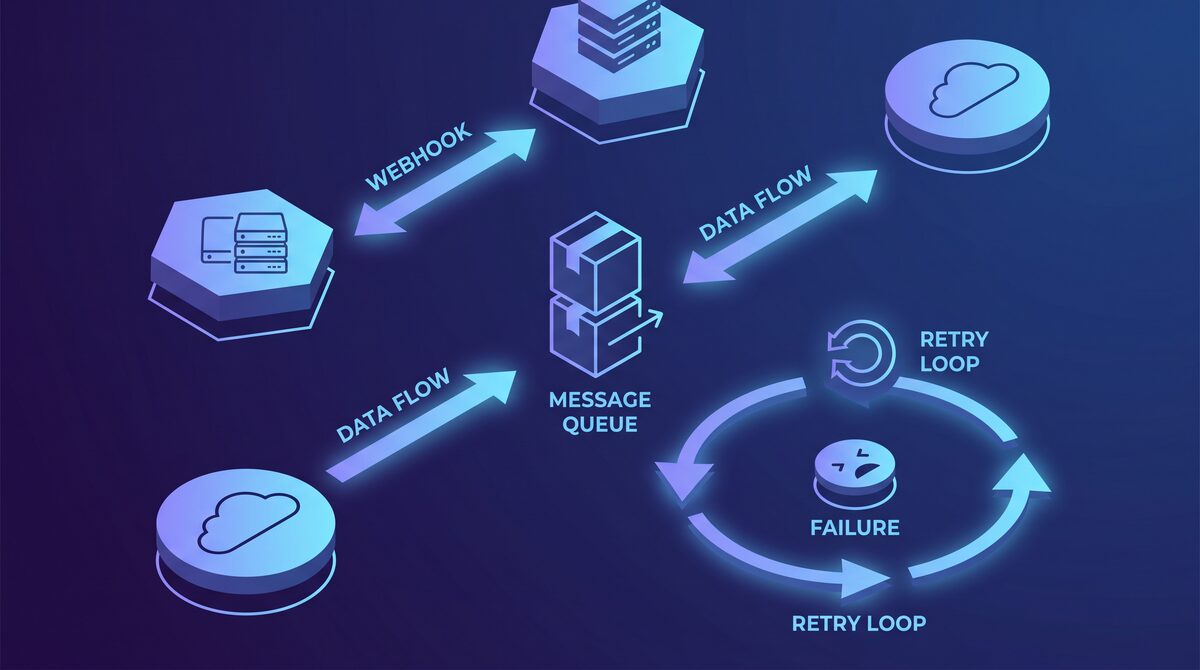
- Receiving webhooks for delivery status
- Receiving webhooks for user interactions (button clicks, form submissions, etc.)
- Handling rich message types (carousels, forms, chips)
- Managing fallback behavior for non-RCS devices
Core RCS Message Types
Text message: Plain text, still works, but you're not really using RCS capabilities.
Rich Card: Single image or card with text, buttons, and action links. Useful for product promotions, offers, announcements.
Carousel: Multiple rich cards the user can swipe through. Perfect for product recommendations, results lists, etc.
Suggested Replies: Buttons that pre-fill a message. Instead of typing a response, user taps a button. Great for yes/no questions, multiple choice, etc.
Suggestion Actions: More complex actions like opening URLs, calling, dialing extensions, etc.
Embedded Forms: Form fields right in the message. Users can fill out and submit without leaving RCS. Powerful but requires careful design.
From a developer perspective:
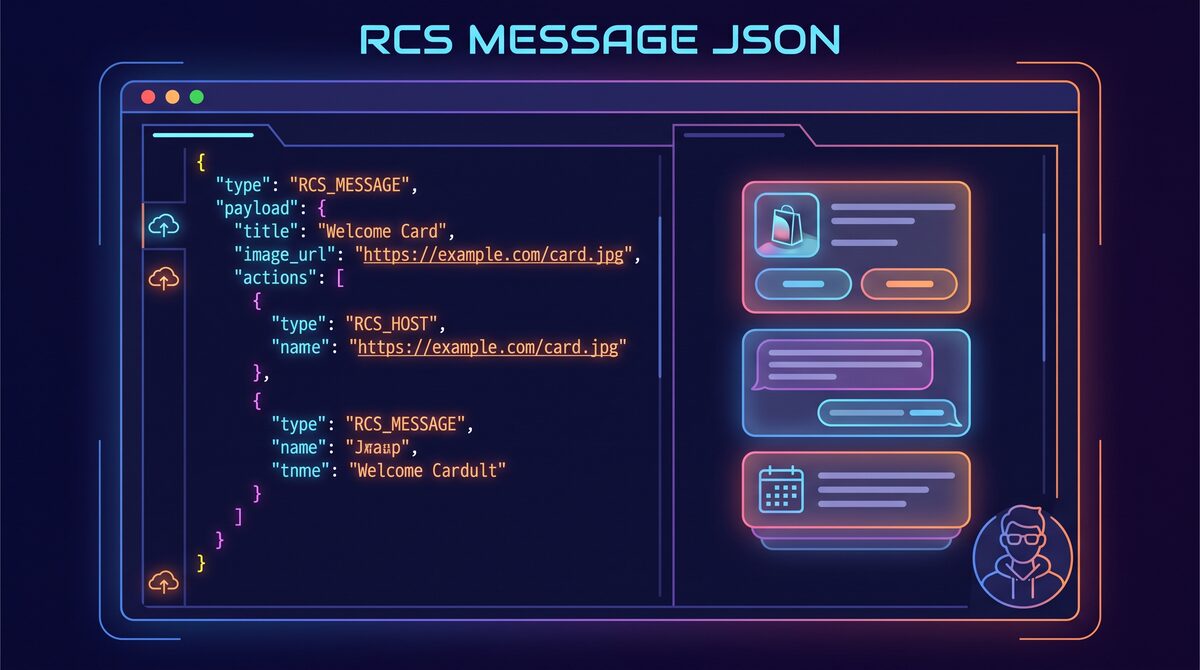
{
  "message": {
    "text": "Check out our latest products",
    "richCard": {
      "standaloneCard": {
        "cardContent": {
          "media": {
            "height": "MEDIUM",
            "contentUrl": "https://example.com/image.jpg",
            "forceRefresh": false
          },
          "title": "Product Title",
          "description": "Product description",
          "suggestions": [
            {
              "action": {
                "text": "See details",
                "postbackData": "product_123"
              }
            }
          ]
        }
      }
    }
  }
}
This is the basic structure. Different message types require different JSON structures, but they all follow this pattern.
Sending Messages
Basic flow:
- Your system triggers an event (cart abandonment, appointment reminder, etc.)
- Your code builds the RCS message payload
- Your code calls the RCS API with authentication
- RCS platform returns a message ID and status
- Your system logs the message ID for tracking
POST /v1/messages
Authorization: Bearer YOUR_API_TOKEN
Content-Type: application/json

{
  "conversationId": "user_123",
  "messageId": "msg_456",
  "message": {
    "text": "Your order has shipped"
  }
}
Response:
{
  "name": "conversations/user_123/messages/msg_456",
  "createTime": "2024-12-27T10:30:00Z",
  "state": "QUEUED",
  "fallbackText": "Your order has shipped"
}
Important details:
Conversation ID: This is the unique identifier for the conversation with that customer. Usually their phone number or a hashed ID you maintain.
Message ID: You generate this. Make it unique. Use it to track the message through your system.
Fallback text: If the device doesn't support RCS, this plain text is sent as SMS fallback. Make it useful because it's what most iPhone users see.
Handling Webhooks
This is where it gets interesting. As users interact with your RCS messages, RCS sends you webhooks.
Delivery webhook: Message was delivered to the user's device
- Status: QUEUED → SENT → DELIVERED
- When to trigger: Use this to confirm the message got through
Read webhook: User opened/read the message
- When to trigger: Update your engagement metrics
Interaction webhook: User clicked a button or filled a form
- What you get: The exact action they took, any data they submitted
- When to trigger: This drives your business logic (process the order, update the record, etc.)
Example interaction webhook:
{
  "conversationId": "user_123",
  "messageId": "msg_456",
  "messageStatus": "INTERACTED",
  "interactionType": "ACTION_TAPPED",
  "action": {
    "postbackData": "product_123",
    "uri": "https://example.com/product/123"
  },
  "timestamp": "2024-12-27T10:35:00Z"
}
Your system should:
- Verify the webhook signature (security)
- Log the interaction
- Match the message ID to your original message
- Extract the postbackData
- Perform the appropriate action
- Return 200 OK to RCS (confirming receipt)
@app.post("/webhooks/rcs")
def handle_rcs_webhook(request):
    # Verify signature
    if not verify_webhook_signature(request):
        return 401

    # Parse payload
    body = request.json
    conversation_id = body['conversationId']
    interaction_type = body['interactionType']
    postback_data = body['action']['postbackData']

    # Log interaction
    log_rcs_interaction(conversation_id, postback_data)

    # Process based on interaction
    if interaction_type == "ACTION_TAPPED":
        if postback_data.startswith("product_"):
            product_id = postback_data.split("_")[1]
            process_product_click(conversation_id, product_id)

    return 200
Error Handling and Retries
RCS messages can fail for several reasons:
Device errors:
- Device doesn't support RCS (automatic fallback to SMS)
- Invalid phone number
- User has RCS disabled
Platform errors:
- Rate limiting (you're sending too fast)
- Authentication failure
- Invalid message payload
Network errors:
- Temporary connectivity issues
- Carrier problems
Your integration should:
- Catch and log errors immediately: Don't silently fail. Log everything.
- Implement retry logic: For transient failures, retry with exponential backoff.
- First retry: 5 seconds
- Second retry: 30 seconds
- Third retry: 5 minutes
- After 3 failed retries, flag for manual review
- Track fallback: When someone doesn't have RCS, log it. Use this data to understand your RCS adoption rate.
- Alert on systematic failures: If you suddenly see a spike in failures, alert your team immediately.
def send_rcs_message(conversation_id, message):
    max_retries = 3
    retry_delays = [5, 30, 300]  # seconds

    for attempt in range(max_retries):
        try:
            response = rcs_api.send_message(conversation_id, message)

            if response.status == "DELIVERED":
                return True
            elif response.status == "FALLBACK":
                log_fallback_sent(conversation_id)
                return True
            elif response.status == "FAILED":
                if attempt < max_retries - 1:
                    time.sleep(retry_delays[attempt])
                    continue
                else:
                    log_delivery_failure(conversation_id, response.error)
                    return False

        except Exception as e:
            if attempt < max_retries - 1:
                time.sleep(retry_delays[attempt])
                continue
            else:
                log_error(f"RCS send failed: {e}")
                return False
Authentication and Security
API Keys: Most RCS providers use API key authentication. Treat these like passwords.
- Store in environment variables, not in code
- Rotate periodically
- Use separate keys for dev/staging/production
Webhook Verification: Always verify that webhooks actually come from your RCS provider, not from an attacker.
def verify_webhook_signature(request):
    signature = request.headers.get('X-Signature')
    body = request.get_data()
    secret = os.getenv('RCS_WEBHOOK_SECRET')

    expected_signature = hmac.new(
        secret.encode(),
        body,
        hashlib.sha256
    ).hexdigest()

    return hmac.compare_digest(signature, expected_signature)
Rate Limiting: RCS providers have rate limits (usually generous for legitimate use). Implement client-side rate limiting to avoid hitting them:
from ratelimit import limits, sleep_and_retry

@sleep_and_retry
@limits(calls=100, period=1)  # 100 messages per second
def send_rcs_message(conversation_id, message):
    # Send message
    pass
Structuring Your Data Model
You need to track messages in your system:
class RCSMessage(db.Model):
    id = db.Column(db.String, primary_key=True)
    conversation_id = db.Column(db.String)
    user_id = db.Column(db.String)
    phone_number = db.Column(db.String)
    message_type = db.Column(db.String)  # rich_card, carousel, etc.
    content = db.Column(db.JSON)
    status = db.Column(db.String)  # queued, sent, delivered, read, failed
    device_support = db.Column(db.String)  # rcs, sms_fallback
    sent_at = db.Column(db.DateTime)
    delivered_at = db.Column(db.DateTime)
    read_at = db.Column(db.DateTime)
    interactions = db.relationship('RCSInteraction', backref='message')

class RCSInteraction(db.Model):
    id = db.Column(db.String, primary_key=True)
    message_id = db.Column(db.String, db.ForeignKey('rcs_message.id'))
    interaction_type = db.Column(db.String)  # button_click, form_submit, etc.
    postback_data = db.Column(db.String)
    created_at = db.Column(db.DateTime)
This lets you track the full lifecycle of each message and build analytics on top of it.
Integration Patterns
Pattern 1: Transactional Messages Order confirmation, shipping update, appointment reminder. Triggered by business events.
def on_order_shipped(order):
    message = build_order_shipped_message(order)
    send_rcs_message(order.customer_phone, message)
Pattern 2: Promotional Campaigns Campaign manager, batch sending, scheduling.
def send_promotional_campaign(campaign_id):
    campaign = Campaign.get(campaign_id)
    customers = get_targeted_customers(campaign)

    for customer in customers:
        message = build_campaign_message(campaign, customer)
        send_rcs_message(customer.phone, message)
        time.sleep(0.1)  # Rate limiting
Pattern 3: Two-Way Conversational Customer initiates conversation or responds to your message.
@app.post("/webhooks/rcs")
def handle_customer_response(request):
    interaction = request.json
    customer_id = interaction['conversationId']
    user_action = interaction['action']['postbackData']

    # Process customer response
    process_customer_action(customer_id, user_action)

    # Send follow-up message
    followup = build_followup_message(customer_id, user_action)
    send_rcs_message(customer_id, followup)
Testing and Debugging
Before going live:
- Use sandbox/test numbers provided by your RCS platform
- Test each message type individually
- Test fallback behavior (what happens on non-RCS devices)
- Test webhook handling (send test webhooks, confirm they process correctly)
- Test error scenarios (invalid numbers, rate limiting, etc.)
For debugging:
- Log everything. Include message IDs, timestamps, user IDs
- Check webhook delivery. Did the webhook actually arrive?
- Verify signatures. Are you verifying correctly?
- Check for silent failures. A message might appear to send but not actually reach the user.
Performance Considerations
- Batch operations carefully. Don't send 1 million messages all at once. Spread them over time.
- Use async queuing. Don't make the user wait for the RCS API call to complete.
- Cache frequently used data. Images, product data, etc.
- Monitor API response times. RCS API calls should be <100ms. If they're slower, something's wrong.
Common Integration Mistakes
- Not handling fallback: Assuming everyone has RCS. Plan for SMS fallback.
- Weak webhook verification: Using webhook IP filtering instead of signatures. Attackers can spoof IPs.
- Not verifying the message payload before sending: Send invalid JSON and the RCS platform will return an error. Validate before sending.
- Over-complicating message types: Start simple. Rich cards work 90% of the time. Don't use forms unless necessary.
- Not tracking engagement: You send messages but don't log opens or clicks. You can't measure what you don't track.
- Sending too frequently: Customers opt out if you spam them. Respect frequency caps.
The technical integration for RCS is actually straightforward if you approach it systematically. The complexity usually comes from business logic (when to send what to whom) rather than the API itself.
Ready to integrate RCS into your systems? Schedule a consultation with our team.
Find out if you're ready for RCS
Take our free 5-minute readiness assessment and get personalized recommendations for your business.
Tim Mushen
Experienced RCS messaging specialists sharing insights and best practices.